Your saved recipes
finally searchable.
200 saved Reels. Zero you can find when hungry. MemoryStore reads every video, extracts the recipe, and makes it searchable — so you cook instead of order takeout.
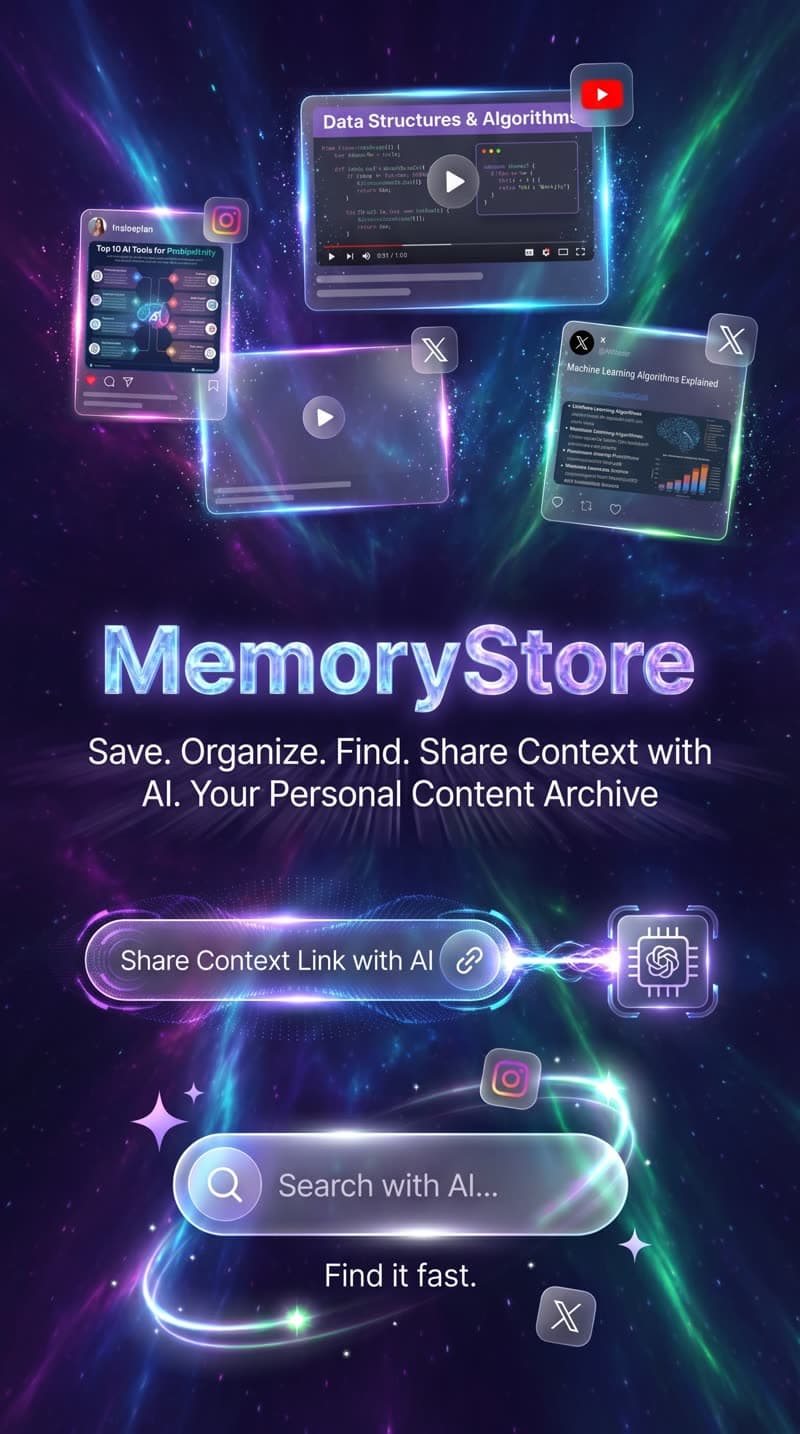
AI Extraction
Semantic Search
Built for recipe hoarders who want to start cooking
To save a recipe
from link to structured card
Platforms
iOS, Android, Chrome
AI extraction
transcribe & structure any video
Private by default
no selling data, ever
The cycle that keeps you
ordering takeout
This isn't a discipline problem — it's a tooling problem. You have the recipes. You just can't find them.
The Digital Graveyard
You have hundreds of saved recipes you'll never open again. Saving gave you a dopamine hit; finding it when you're hungry gives you a headache.
The Takeout Tax
Re-watching a 60-second video 15 times to copy ingredients is too much friction. So you close the app, open food delivery, and spend money you shouldn't.
Lost Sovereignty
Your data is trapped inside algorithms designed to keep you scrolling, not cooking. Your saved recipes should belong to you — not the feed.
There's a better way
From scroll to stove in 60 seconds
Three steps. Zero friction. No re-watching.
Dump the Noise
Share any food Reel, Short, or TikTok link directly to MemoryStore from the system share sheet. One tap. No copy-pasting.
Works from YouTube, Instagram, TikTok, X, LinkedIn, Facebook & Threads.
Share to...
AI Reads the Video
Our AI strips out the background music, transition cuts, and comment sections — rendering a clean recipe with raw measurements.
YouTube: automatic. Instagram/TikTok: upload the clip to unlock the full AI pass.
AI Processing...
Cook, Don't Scroll
Check off your ingredients as you cook. No scrolling, no rewinding, no distractions. Just execution.
Semantic search means you can find any recipe by what's in it — not by the title you can't remember.
One-Pot Lemon Chicken
See it in action
From chaos to clarity — here's what your recipe library looks like with MemoryStore.
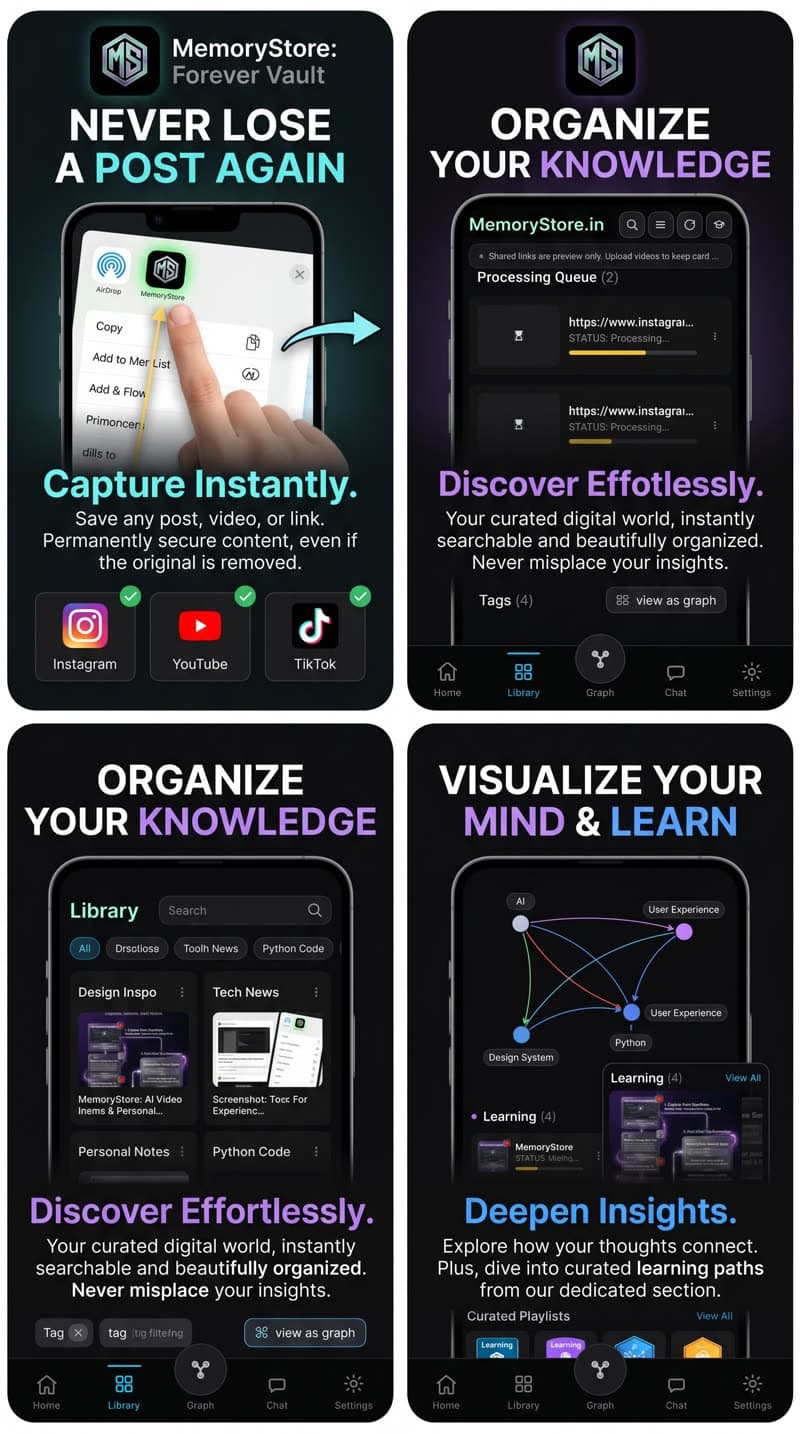
Never Lose · Organize · Visualize · Learn
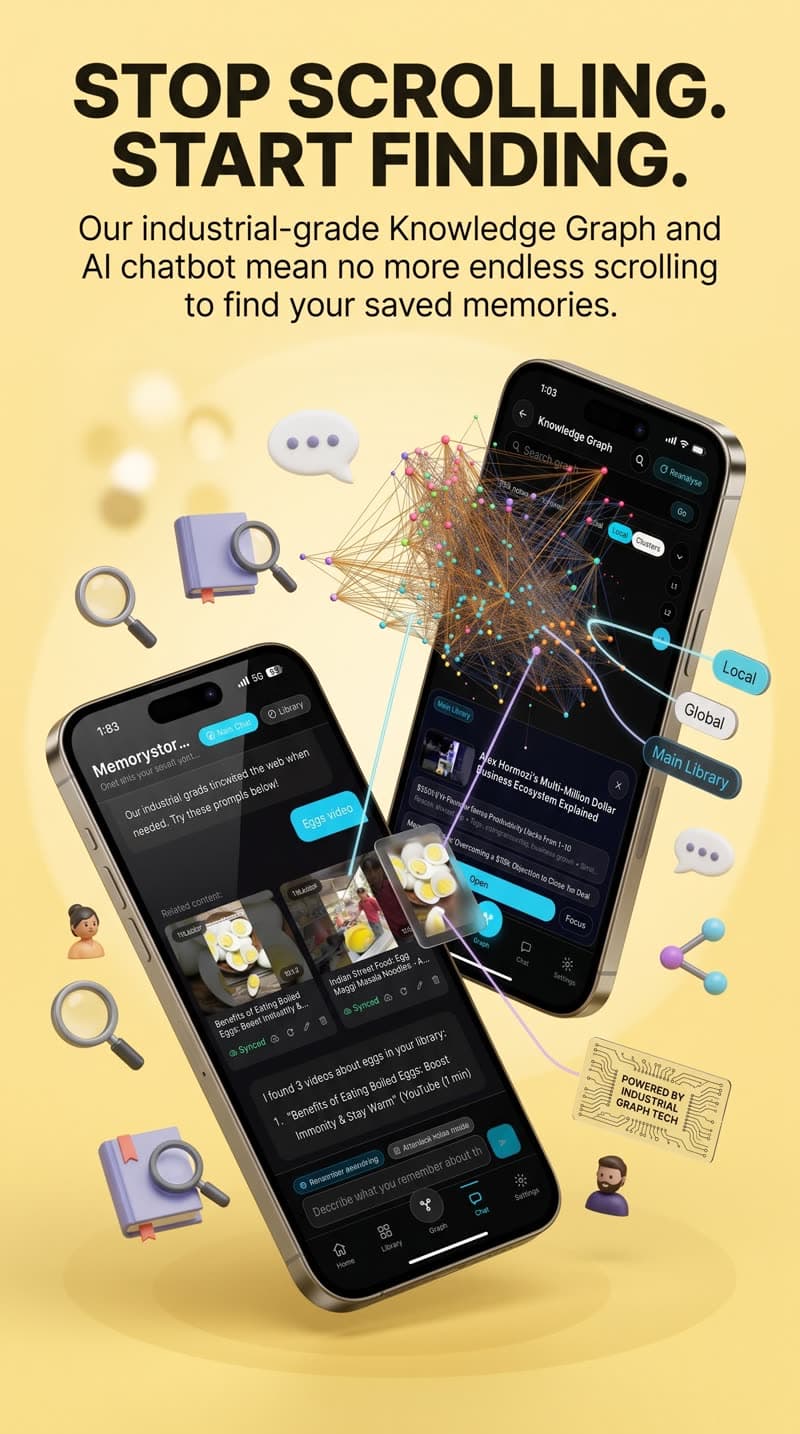
Chat with Library · Knowledge Graph
Free plan available · No credit card required
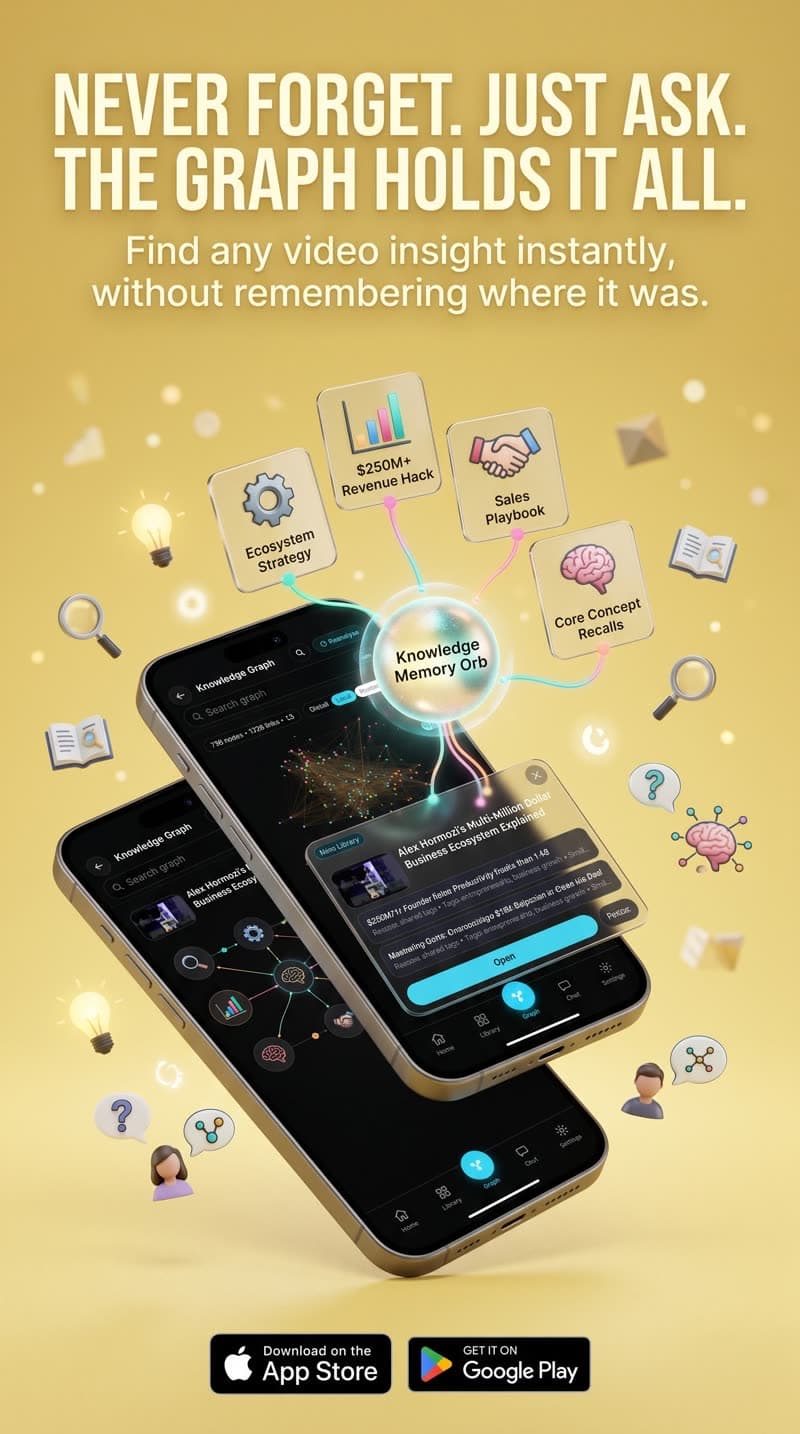
Your Knowledge Graph. Your Mind, Connected.
MemoryStore doesn't just save videos — it builds a living knowledge graph from everything you archive. Each recipe becomes a node. Related concepts connect automatically. The result? A visual map of your culinary memory that makes finding anything instant.
Connected Nodes
Every video you save becomes a node. Related recipes and techniques automatically connect, forming a web of culinary knowledge.
Smart Discovery
Find unexpected connections — like how a tempering technique links Indian and Thai cuisines through shared spice profiles.
AI-Powered Insights
The graph learns as you save. It surfaces patterns, suggests substitutions, and helps you discover recipes you forgot you saved.
Find any recipe by what's in it
Not by the title you can't remember. Semantic search understands what you mean — even vague descriptions find the right recipe.
Searching your library...
Where to save & upload your cooking videos
Whether it's a Reel from Instagram, a Short from YouTube, or your own recipe recording, MemoryStore turns it into an actionable recipe card.
YouTube
Full AIShare any cooking Short or video straight from the YouTube app. MemoryStore pulls the public transcript and auto-generates a clean recipe card.
Instagram Reels
Upload for full AIShare the Reel link to MemoryStore. Because Instagram doesn't allow third-party downloads, tap "Upload to enable AI" to unlock full transcription.
TikTok / X / Facebook
Upload for full AISame flow: share the link to MemoryStore, then upload the video inside the app. We extract the recipe text and turn it into an actionable checklist.
Desktop / Browser
Chrome ExtensionInstall the MemoryStore Chrome extension to save any cooking video as you browse. It appears in your library ready for extraction.
Create & upload your own recipe videos
You don't need a public channel. Record your family recipes, meal-prep routines, or your go-to weeknight dinners. MemoryStore turns them into a private, searchable cookbook.
Record your own recipe clips
Use your phone's camera to record your own cooking. No need to post publicly — these are your private recipe videos, owned by you. No followers needed. No algorithm to please.
Upload to MemoryStore
Upload the clip from your gallery or file picker. MemoryStore will transcribe it, tag it, and turn it into a structured recipe card.
On paid plans, uploads are stored in your own Google Drive for full sovereignty.
How to record for best results
Stabilize your phone — lean it against a jar or use a tripod
Show each step clearly — pouring, chopping, seasoning
Name the dish out loud so the AI picks up the title
Keep clips under 5 minutes — ideal for extraction
How to upload
Open MemoryStore and tap the "+" or "Upload" button
Choose a video from your gallery
Confirm the title and let the AI transcribe and structure the recipe
Your recipe appears as a clean checklist with step-by-step instructions
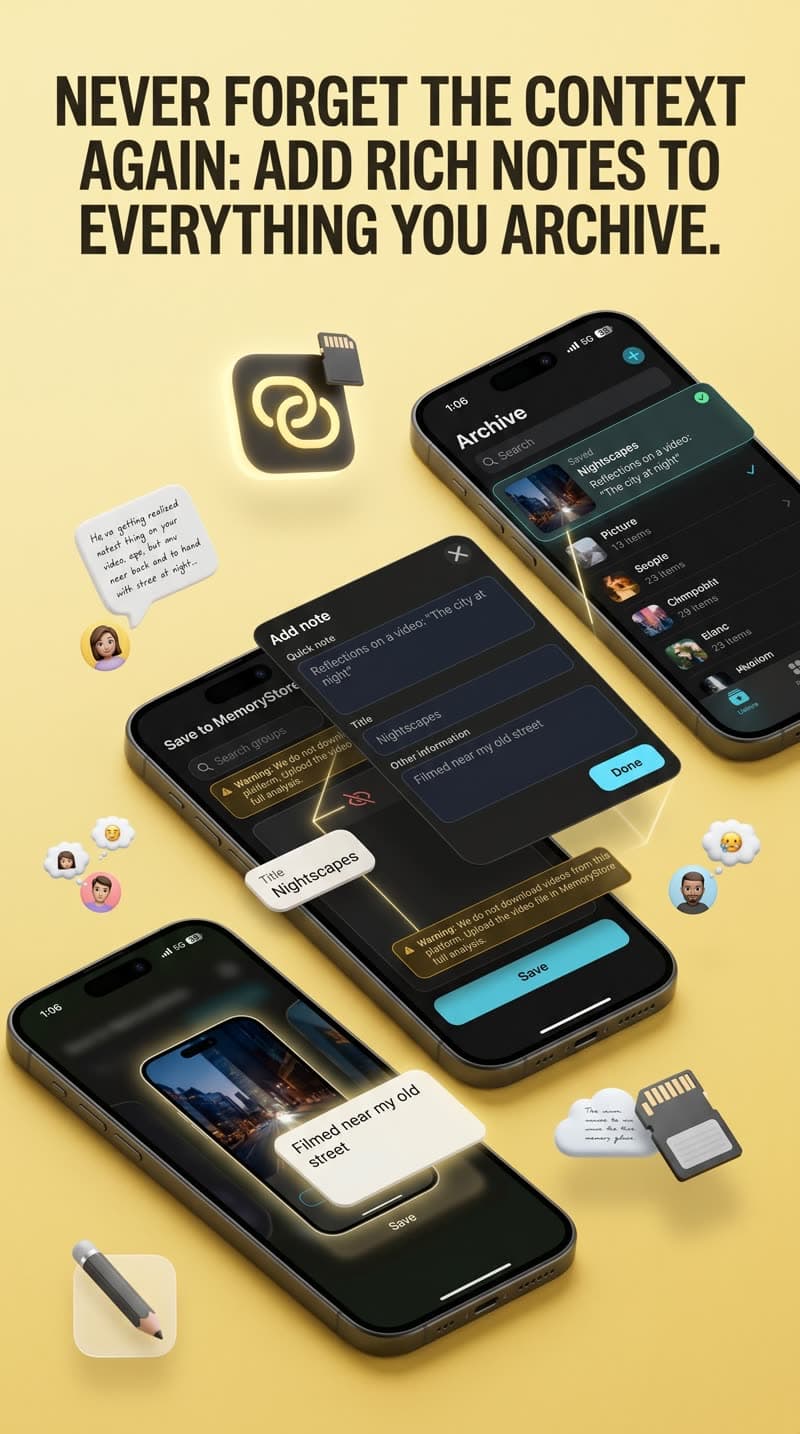
Never Forget the Context Again
Add rich notes to everything you archive. Filmed near your old street? Add a note. Grandma's secret ingredient? Write it down. MemoryStore keeps your context forever, so you never lose the "why" behind a recipe.
Location Notes
"Filmed near my old street in Juhu — the chai stall next to the temple"
Secret Ingredients
"Grandma adds a pinch of asafoetida — not in the video"
Personal Context
"This is the recipe I make every Diwali — double the ghee"
Cooking Tips
"Let the dough rest 30 min, not 10 — makes all the difference"
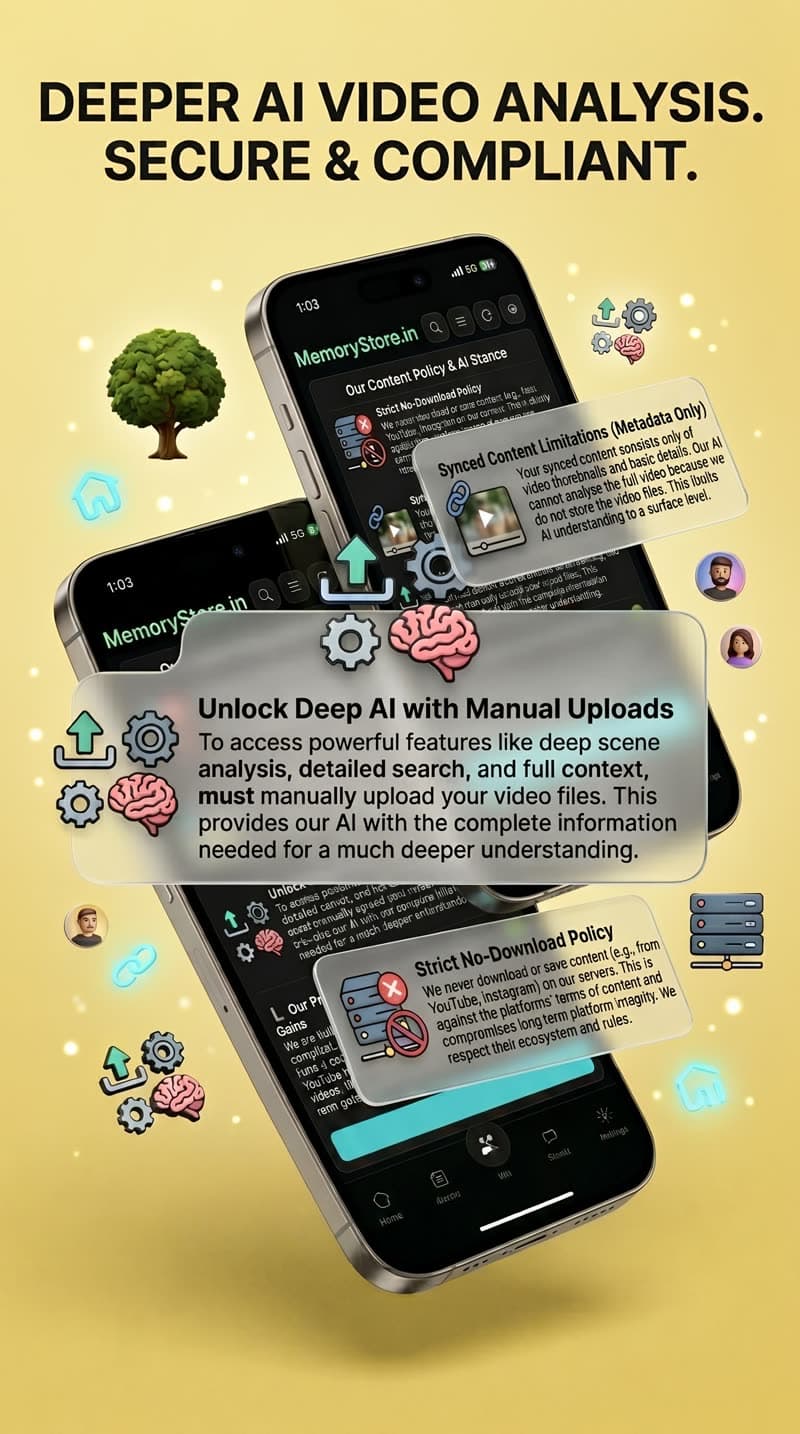
Deeper AI Video Analysis. Secure & Compliant.
MemoryStore goes beyond simple transcription. Our AI analyzes video scenes, extracts detailed recipe steps, identifies ingredients visually, and creates structured recipe cards — all while respecting platform policies.
Scene-by-Scene Analysis
AI breaks down each cooking step visually
Platform-Compliant
No downloading from YouTube/Instagram. We analyze only what you share or upload.
Manual Upload = Deep AI
Upload your own clips for full scene analysis, detailed search, and complete extraction
Strict No-Download Policy
We never download or cache content from platforms
Everything in your library, finally useful
MemoryStore doesn't just store links. It reads, understands, and connects your saved content so you can actually use it.
Semantic Search
Search by topic, not just title. Find clips inside transcripts.
🔍"that pasta with the lemon"
Chat with Your Library
Ask questions about saved videos. Answers cite clips & timestamps.
💬"How much olive oil does the chicken recipe need?"
One Link for AI Context
Share a subset of your library with ChatGPT or Claude instantly.
🔗Paste into ChatGPT → instant recipe context
Tags That Write Themselves
Auto-generated from transcripts. Merge duplicates with one tap.
🏷️Auto-tag: "high-protein, 30-min, chicken"
Groups & Collections
Personal collections or shared groups. Invite friends, pick from share sheet.
📁"Weeknight Dinners" group → 12 recipes
Private by Default
No selling data. No training on your saves. Google Drive sync on paid plans.
🔒Your recipes → your Google Drive folder
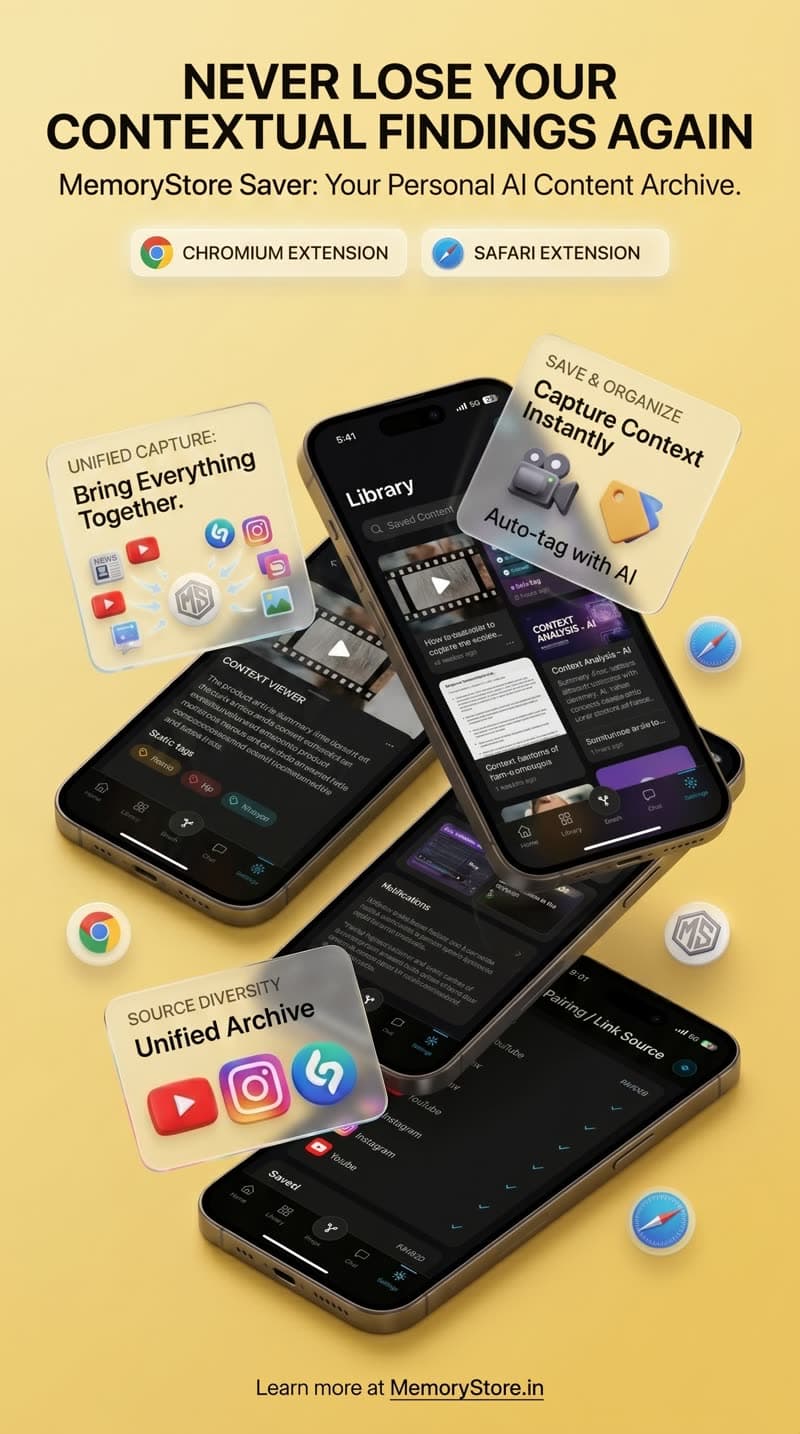
Save From Any Browser, Instantly
Install the MemoryStore Chrome or Safari extension to save any cooking video as you browse. One click and the recipe is extracted, organized, and searchable in your library — without ever leaving the page.
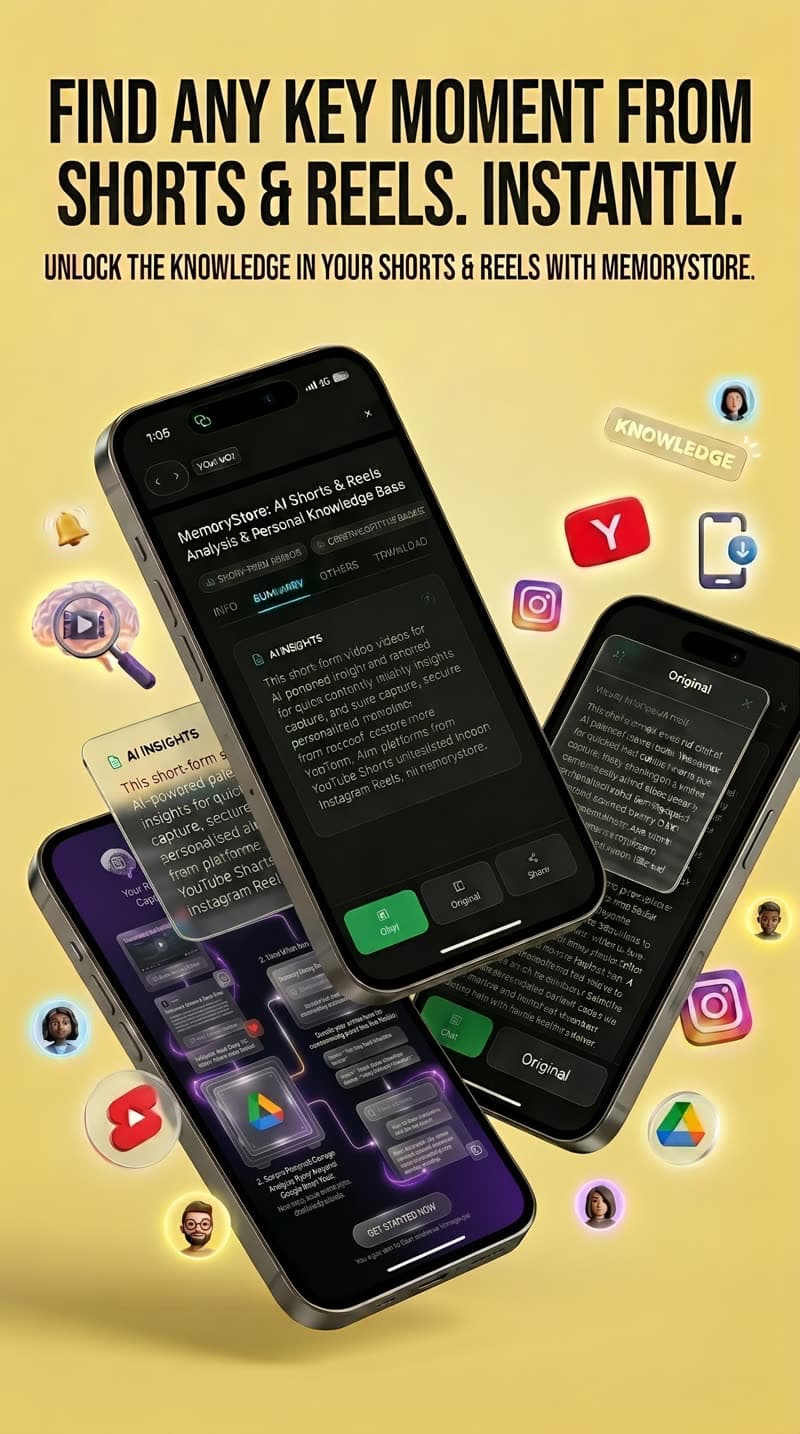
Unlock Knowledge from Shorts & Reels
Short-form cooking videos are packed with recipes — but impossible to search later. MemoryStore analyzes YouTube Shorts, Instagram Reels, and TikTok clips to extract actionable recipes in seconds.
YouTube Shorts
Auto-extract with transcript
Instagram Reels
Share link + upload for AI
TikTok
Share link + upload for AI
Tips from the kitchen
Organize by Time, Not Cuisine
Instead of "Italian" or "Indian" folders, group recipes by "15 min", "30 min", and "Weekend Projects". You decide what to cook based on how much time you have, not where the recipe comes from.
Real people. Real recipes. Real results.
Don't take our word for it — here's what happens when people stop hoarding and start cooking.
“I had 300+ saved recipe Reels that I never opened. Now I just search "high protein" and MemoryStore finds the exact clips with ingredients I can make tonight.”
Priya M.
Medical Student · Mumbai
300+
Reels organized
“The semantic search is insane. I searched "that pasta with the lemon cream" and it found a Reel I saved 8 months ago. That would never happen with Instagram's saved folder.”
Arjun K.
Startup Founder · Bangalore
8 mo
Oldest recipe found
“I record my own family recipes now — my grandmother's biryani, my mom's chutney. MemoryStore turns them into step-by-step cards. It's like a private cookbook that writes itself.”
Sara L.
Home Cook · Delhi
45
Family recipes saved
How MemoryStore compares
Pocket, Apple Notes, and Notion save links. MemoryStore reads the video.
| Feature | MemoryStore | Notes | Notion | |
|---|---|---|---|---|
| Save a video link | ||||
| Read the video (transcript) | ||||
| Find by topic (semantic search) | ||||
| Chat with saved content | ||||
| Auto-extract recipe cards | ||||
| Private by default | ||||
| Connect to ChatGPT / Claude | ||||
| Upload & transcribe your own videos |
Pocket is shutting down. MemoryStore is the upgrade path.
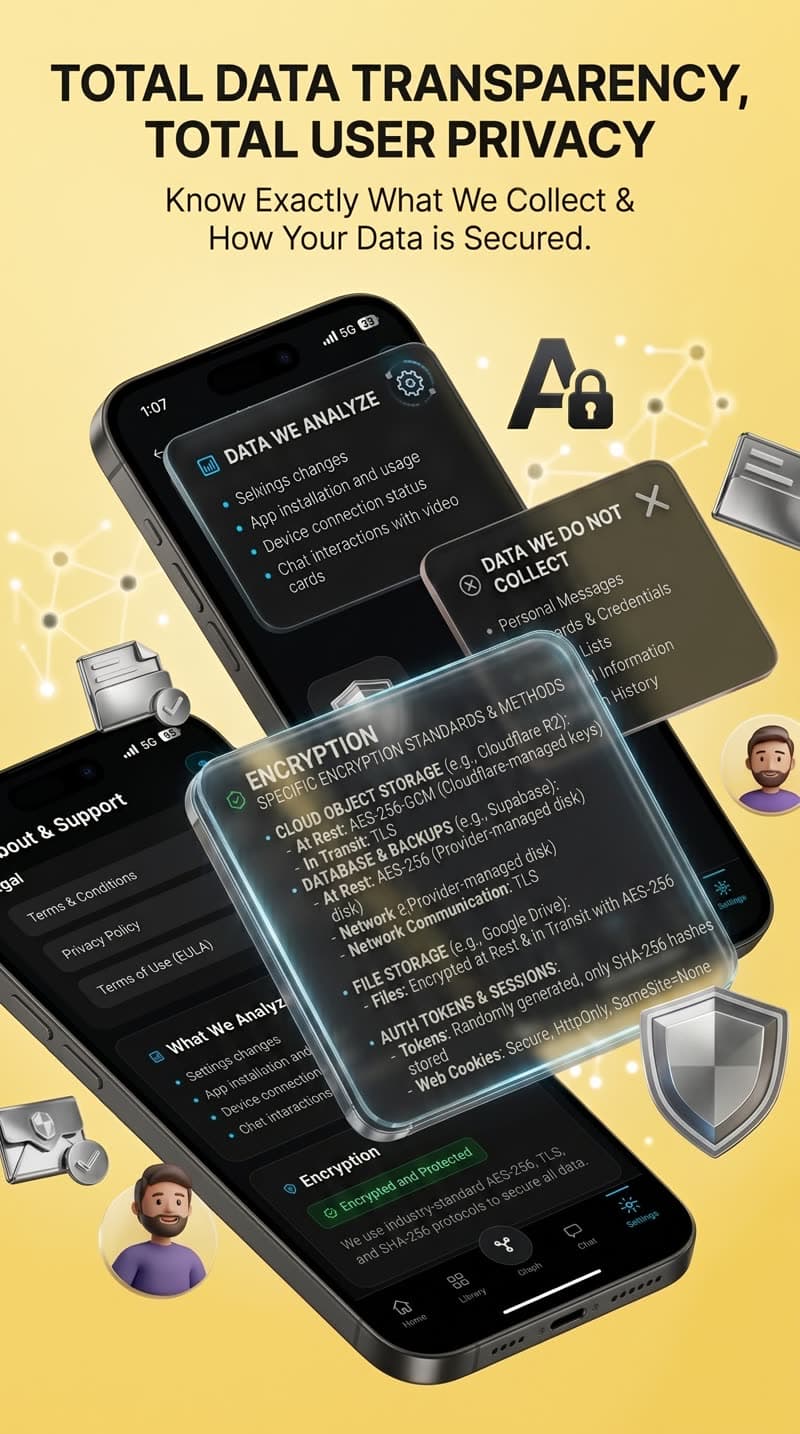
Total Data Transparency. Total User Privacy.
We believe your culinary memories deserve the same protection as your financial data. That's why MemoryStore uses enterprise-grade encryption, never sells your data, and never uses your archives to train AI models.
AES-256-GCM Encryption
Military-grade encryption protects your data at rest and in transit.
No data sold ever
Your recipes are yours. We never sell, share, or monetize your personal data.
No AI training on your data
Your saved videos and notes are never used to train AI models. Period.
Your own Google Drive
Paid plans store data in your own Google Drive — you hold the keys.
Connect your library to your AI assistant
MemoryStore supports Model Context Protocol (MCP), allowing ChatGPT and Claude to browse your library directly. One-time OAuth connection. No API keys needed.
MemoryStore
Your video library
AI Assistants
ChatGPT · Claude
Instant Answers
Cited with timestamps
ChatGPT
Connect your MemoryStore library to ChatGPT via MCP. Ask questions about your saved videos and get answers citing specific clips and timestamps.
Claude
Give Claude direct access to your video library. Search your saves, retrieve context, and use Thought Connect for structured evidence matching.
Share Links
Generate one share link for selected saves. Paste into any AI assistant — they get instant context from your library. Revoke anytime.
Set up in under 2 minutes. Works with ChatGPT Plus, Claude Pro, and more.
Free forever for casual use
Upgrade when your library demands more power. Cancel anytime.
Basic
For casual savers who want to stop losing recipes.
- 10 saves/day
- 10 chats/day
- Up to 90-second uploads
- Semantic search
- Google Drive sync
- Privacy mode
- No AI training
Pro
For serious home cooks who want full AI power.
Save $24/year- 50 saves/day
- 20 chats/day
- Up to 15 min / 100 MB uploads
- Semantic search
- Google Drive sync
- No AI training on your data
- Privacy mode
Ultimate
For power users who demand total sovereignty.
Save $36/year- 100 saves/day
- 50 chats/day
- Up to 45 min / 300 MB uploads
- Semantic search
- Google Drive sync
- No AI training on your data
- Privacy mode
Frequently asked questions
Everything you need to know before you download.
MemoryStore is a private library for the videos and links you save. It transcribes, summarizes, tags, and connects each save so you can find it later by what's inside—not by the title you don't remember. Think of it as a search engine for your saved content.
Since these platforms don't allow third-party downloads, MemoryStore saves the link, cover, and caption. Then, you can tap "Upload to enable AI" inside the app to upload the clip yourself, which unlocks full transcription and structured recipe extraction.
YouTube is fully automatic! Share any cooking Short or long-form video straight from the YouTube app, and MemoryStore pulls the public transcript to auto-generate a structured recipe card with ingredients and steps. No upload needed.
Yes. MemoryStore is private by default. They don't sell your personal data, and they don't train AI on your saves unless you explicitly opt in. On paid plans, your media files sync to your own Google Drive folder, so you retain full control even if MemoryStore shuts down.
Absolutely! Use your phone's camera to record your own cooking. Upload the clip to MemoryStore and it will transcribe it, tag it, and turn it into a structured recipe card with ingredients and steps. No public channel needed—these are your private recipes.
MemoryStore uses Google Gemini AI for transcription and summarization. Your data is sent for processing only, not for training Google's models. AI features are optional and require your explicit consent.
Yes! MemoryStore supports MCP (Model Context Protocol), allowing ChatGPT and Claude to browse your library directly. Set up a one-time OAuth connection—no manual API keys needed. You can also generate a share link to give any AI context from your library.
Yes, the Basic plan is free forever. You get 10 saves per day, 10 chats per day, and uploads up to 90 seconds. That's enough for casual savers to get real value without paying anything.
Stop hoarding videos. Start cooking.
Download free, save your first recipe in 30 seconds, and cook from your library tonight.
Interested in investing in MemoryStore?
We're building the future of personal video libraries — starting with the recipe vertical. If you see the vision, we'd love to hear from you.